Quotations, delivery slips and pricelists for wholesale in Odoo
A distributor's documents are long line tables read by buyers in several countries. Design them once in Studio and every quotation, invoice and delivery slip Odoo prints follows the design, in the customer's language and currency.
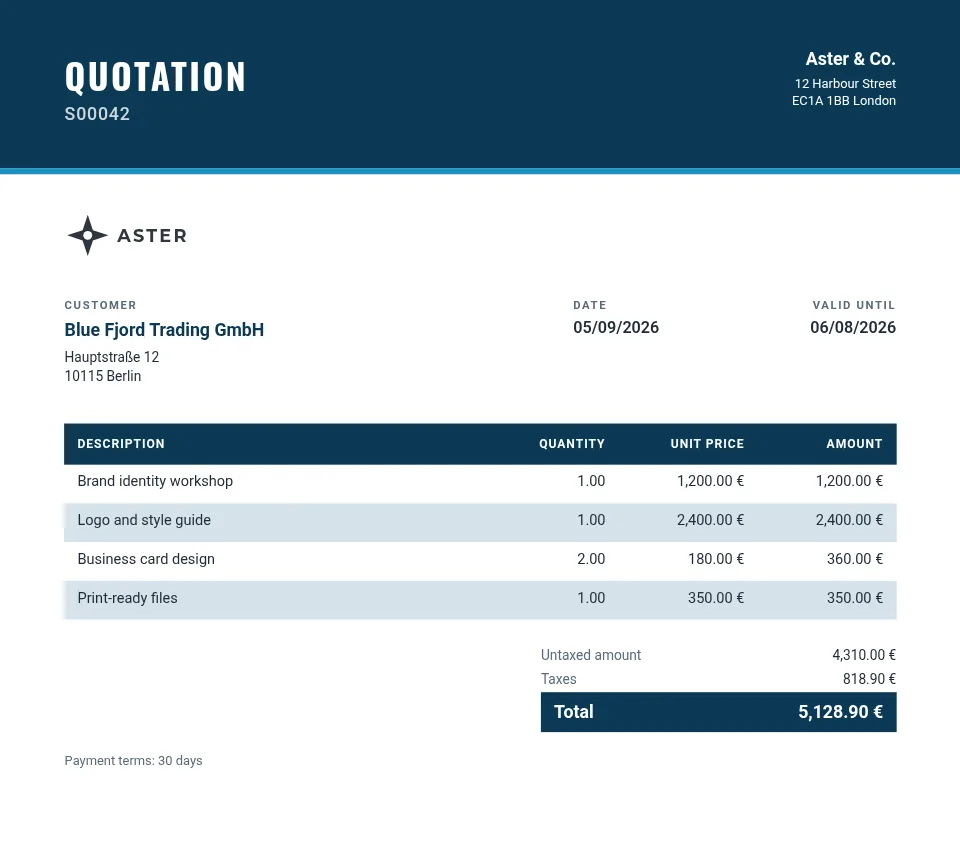
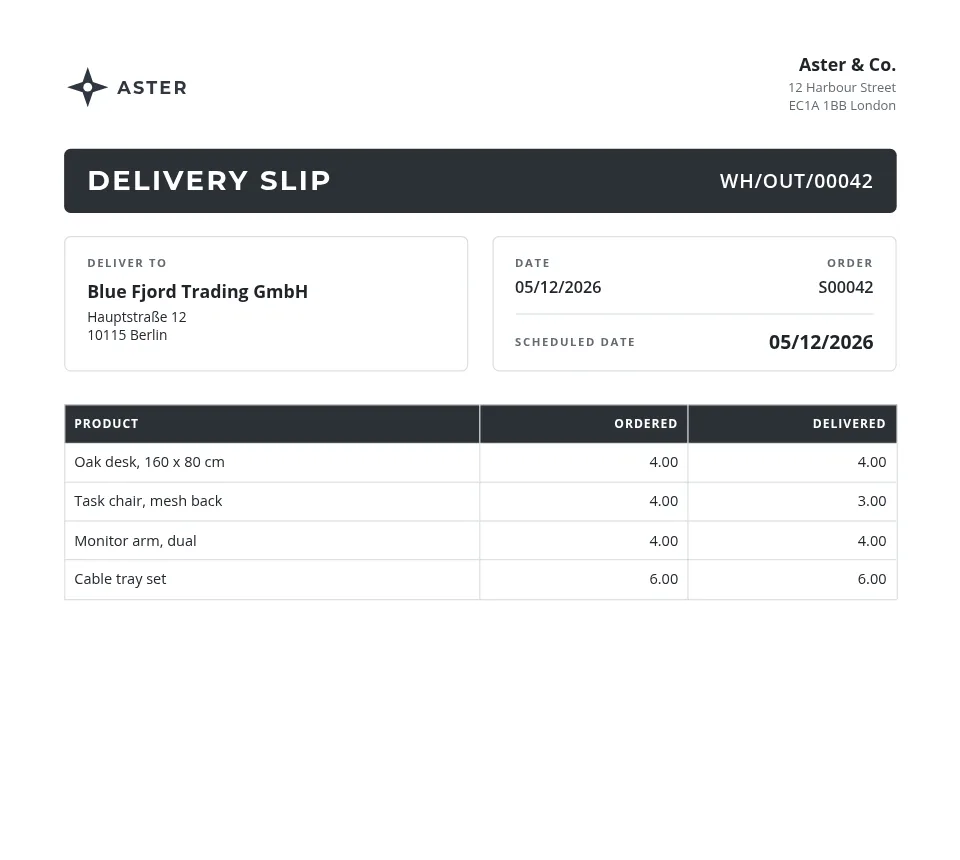
The documents
| Document | Odoo model | What it carries |
|---|---|---|
| Quotation and order confirmation | sale.order | The order lines, discounts, payment terms, totals and the validity date. |
| Invoice | account.move | Taxes per line, the amount due, the payment reference and a QR code made from any of its fields. |
| Delivery slip | stock.picking | Ordered against delivered quantities, the scheduled date and the order it ships. |
| Pricelist or catalog | product.template | Products with photos, codes and prices, from the catalog editor. |
What matters here
Line tables that read like a trade document
A table repeats its row for every order line and runs over as many pages as the order needs, with its header on each. A row filter leaves out delivery charges, section titles or note lines, or any line that matches a rule you set.
Barcodes on the page
Print the order number or a product code as QR, Code 128, EAN-13, EAN-8, UPC-A or Code 39, drawn as vector graphics so it scans at any size.
Every customer in their language
Odoo prints each document in its customer's language: the template's own texts from Studio's translations (a glossary fills the usual terms), product names and descriptions from the translations your Odoo has, dates and amounts in the customer's format.
Terms and conditions as a table
A grid holds the rows you type, such as delivery terms or price tiers, and each cell can print an Odoo field.
How it works
- Install the free module in Odoo. Dynamic PDF Report Builder is on the Odoo Apps Store for Odoo 18, 19 and 20. In its Settings, click Connect and allow the connection on erp2pdf.com: no keys to copy.
- Pick a design in Studio. Start from a quotation, invoice, purchase order, delivery slip or product sheet in the style, palette and fonts you choose. Drag Odoo fields onto the page and see the values of your own records while you design.
- Odoo prints it. Make the template Odoo's own PDF: Print, Send by email, the order confirmation and the customer portal use it. Or generate PDFs from any selection of records.
Plans
Starter, the free plan, has Studio, the connector, the API and translations, with 20 credits a month (about one per page) and a small "Made with erp2pdf.com" line on the PDF. Pro prints without the line and adds email templates sent from Odoo, your own fonts and print-ready PDF: CMYK with the ICC profile library and PDF/X export. Enterprise adds team workspaces. See the prices.
Try it on your own Odoo: the module and the Starter plan are free.
Questions
Does it change how Odoo works?
No. Odoo keeps its orders, invoices and deliveries; the module only replaces the PDF Odoo prints for them, and you can switch back to Odoo's own report per model.
Can a delivery slip show only the lines that ship?
Yes. The line table has a row filter: hide lines by product type, by a field's value, or by any rule on the line.
Which Odoo versions are supported?
Odoo 18, 19 and 20, Community and Enterprise, on Odoo.sh or your own server.